
What makes a mind-map prompt work
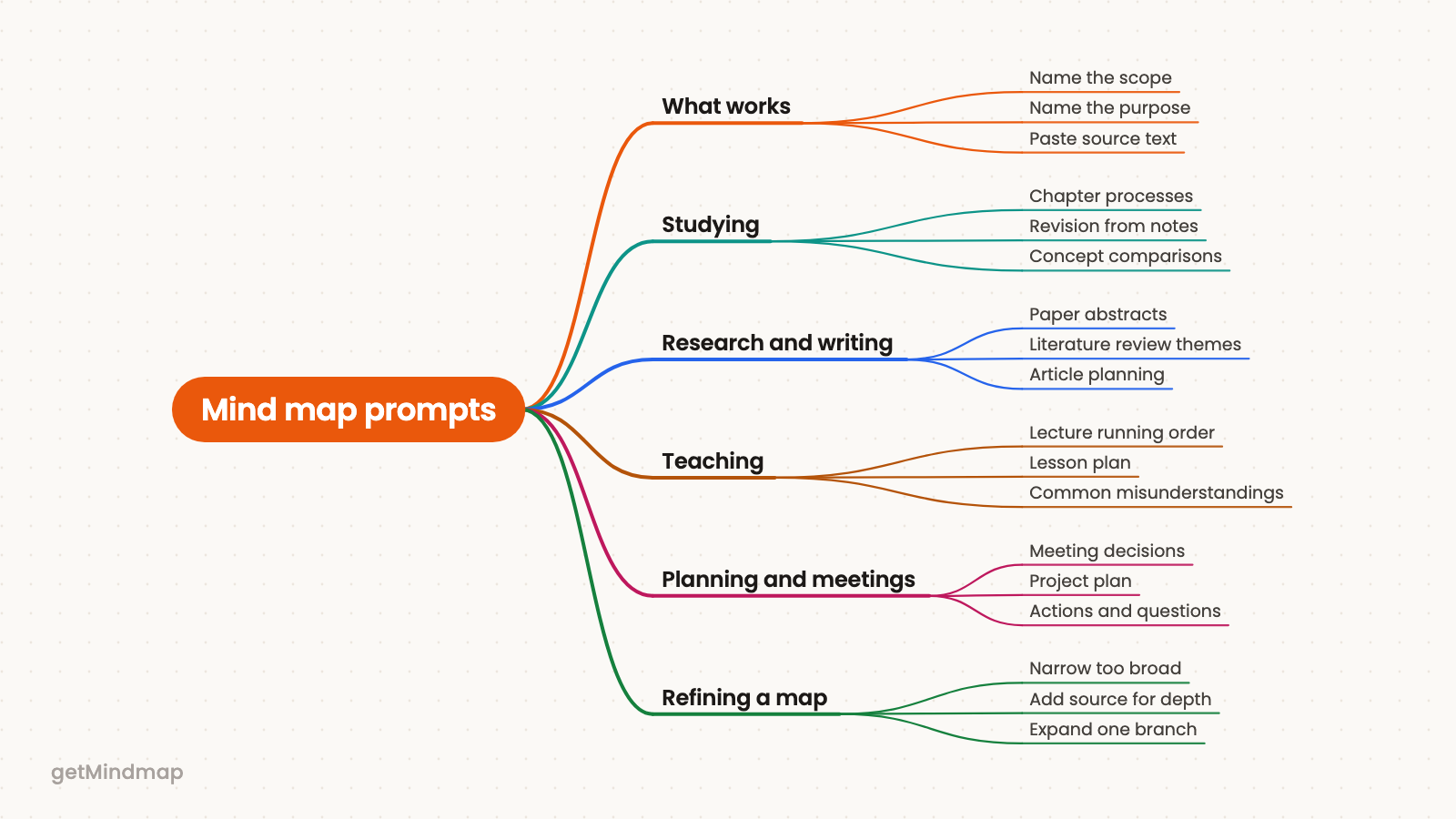
The getMindmap app in ChatGPT builds a map from your topic or from text you provide, and the map follows the structure of what you give it. A vague request produces a general map. A specific one produces a map you can use. Four habits account for most of the difference:
- Name the scope. A chapter, a single question or a one-hour meeting is easier to map than a whole subject.
- Name the audience or purpose. An exam, a lecture and a client briefing each call for different branches.
- Give the source text when you have it. Pasted notes or a passage produce a more faithful map than a bare topic.
- Ask for one map per question. Separate questions deserve separate maps.
If you have not set the app up yet, how to make a mind map in ChatGPT covers the three setup steps. Each prompt below can be pasted as written. Replace the bracketed placeholders with your own material.
Studying
Use getMindmap to make a mind map of [chapter title] for a second-year biology exam. Focus on processes and how they connect, not definitions.
Use this when you need to understand a chapter rather than memorise it. Swap the subject and level, and change "processes" to "arguments" or "events" for other fields.
Use getMindmap to turn the notes below into a mind map for revision. Keep my headings as the main branches and put key terms under each one. [paste notes]
Best when your notes are already organised but too long to scan. Keeping your headings means the map matches how you think about the material.
Make a mind map of [concept A] versus [concept B] with getMindmap. Give each its own branch, and show where they overlap and where they differ.
Useful for pairs students tend to confuse. Name the exact two things, and add the context, such as the course or exam board, if it matters.
Use getMindmap to map the main causes and consequences of [event] for a history essay. One branch for causes, one for consequences, and short labels throughout.
A good start before drafting an essay plan. Change the two main branches if your question asks for something else, such as "turning points" or "perspectives".
Use getMindmap to make a mind map of the questions I should be able to answer after studying [topic]. Group them by theme.
This turns a topic into a self-test. Add the type of exam, such as short answer or essay, so the questions fit.
Research and writing
Use getMindmap to make a mind map of the abstract below. Show the research question, method, findings and limitations as separate branches. [paste abstract]
A quick way to take in a paper. Paste one abstract at a time, and make a separate map for each paper you read.
Use getMindmap to organise these notes for a literature review on [topic] by theme rather than by author. [paste notes]
Use it when your notes are a pile of paper-by-paper summaries. The literature review template shows the kind of structure you are aiming for.
Make a mind map of the argument in the passage below for a book chapter I am writing on [subject]. Show the main claim, the supporting points and the objections. [paste passage]
Helps you see whether an argument holds together before you write about it. Adjust the branches to the genre of the passage.
Use getMindmap to plan a [number]-word article on [topic] for [audience]. Main branches should be the sections, with the key point of each underneath.
A planning prompt for authors and consultants. Replace the audience with a specific reader, such as "senior managers new to the subject".
Teaching
Use getMindmap to make a mind map for a [length]-minute lecture on [topic] for [level] students. Order the branches in the sequence I should teach them.
Gives you a running order you can reshape in the editor. State the level clearly, since it decides how much background the map includes.
Make a mind map of a lesson plan on [topic] with getMindmap. Branches: aims, key ideas, activities, and how I will check understanding.
Rename the branches to match your school or department format.
Use getMindmap to map the common misunderstandings students have about [topic], with the correct idea beside each one.
Good for preparing explanations ahead of time. Check the result against your own experience of the class, since you know their mistakes better than a general map does.
Planning and meetings
Use getMindmap to turn the meeting notes below into a mind map with decisions, actions and open questions as the three main branches. [paste notes]
Use it right after a meeting while the notes are fresh. Add "owner" or "deadline" to the request if your notes include them.
Make a mind map of a project plan for [project] with getMindmap. Main branches should be goals, phases, risks and what I need from other people.
Handy for a first draft before a kick-off. Replace the branches with your own planning categories.
Use getMindmap to make a mind map of the options for [decision] that [who decides] can read in two minutes. Give each option its own branch with benefits, costs and risks, and end with what we still need to find out.
Useful before a decision meeting, when people need to compare options side by side. Name the options yourself if you already know them, so the map does not invent others.
Refining a map that came out wrong
If a map is too broad, the scope was too wide. Ask again with a narrower slice, for example one chapter instead of a whole book, or add the purpose: "for a ten-minute briefing". If you are working from a topic alone, paste source text so the map follows your material.
If a map is too shallow, give the request more to work with. Paste more of the source, or ask for the single branch you care about as its own map. In the web editor you can also expand one branch with AI, or ask the AI to modify the map, without redoing everything. Editing happens there rather than in ChatGPT, through the "Open this map in the editor" link.
If the map has the right content but the wrong shape, the editor lets you change the layout and switch between Mind Map, Concept Map and Custom types.
Try it
Pick the prompt closest to what you are doing today, fill in the brackets and run it in ChatGPT. To see what a generated map looks like first, the free try works without an account.