
Why ChatGPT alone does not give you a mind map
Ask ChatGPT for a mind map and you usually get one of two things: an indented text outline, or a generated picture of branches and bubbles. The outline is useful as a list, but it is not a map. The picture looks like a map, but you cannot move a node, add a branch, rename a label or change the layout. If the first version is not quite right, you start the request over.
A mind map is a working object. You want to rearrange it, cut what does not belong and expand the one branch that matters. That is what the getMindmap app for ChatGPT is for. It lets ChatGPT create a real, structured map from inside the conversation, then hands you a link to continue in an editor built for maps.
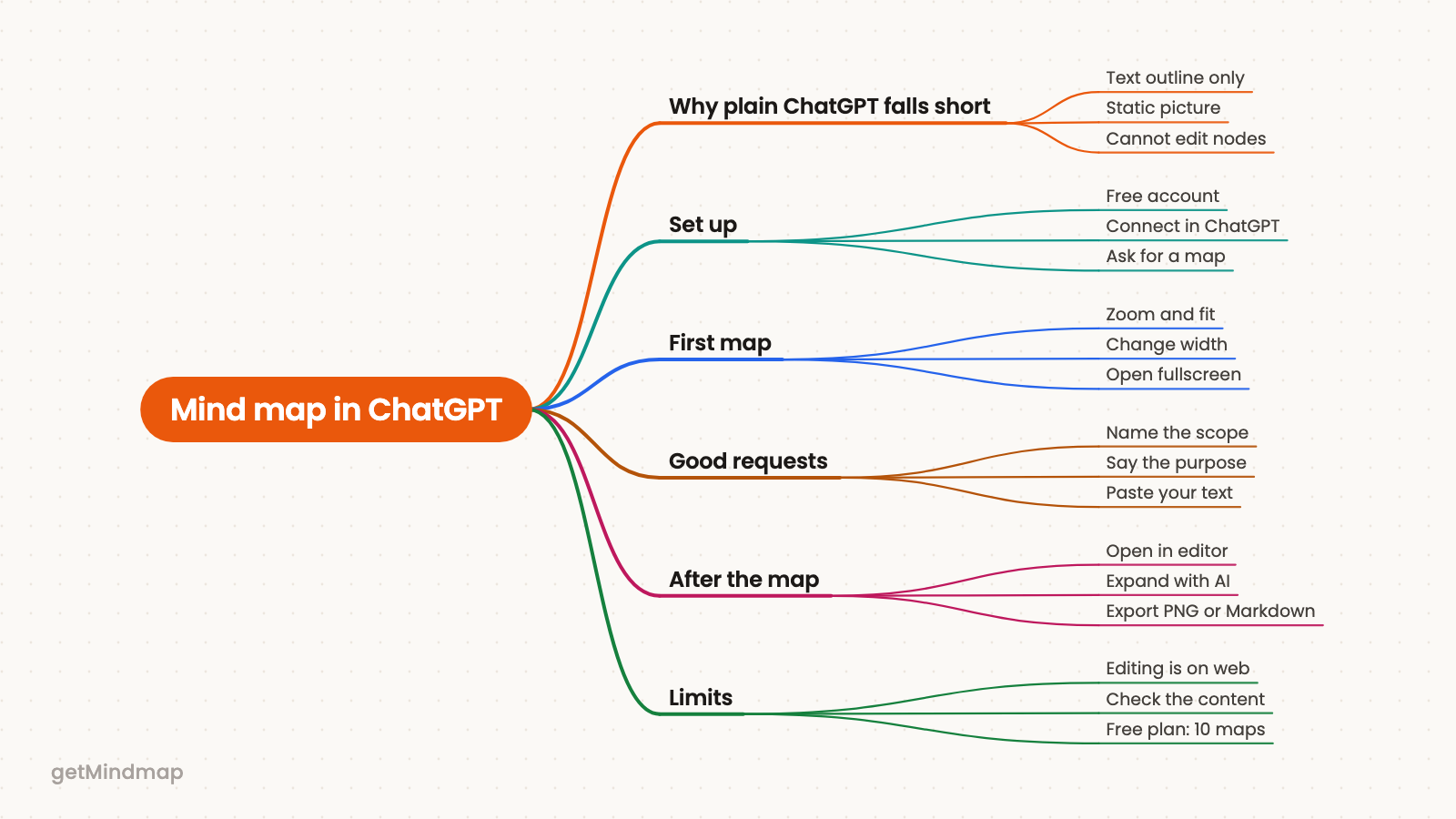
What the getMindmap app does inside ChatGPT
getMindmap is an AI mind-map tool with a web app at map.getmindmap.com and an app inside ChatGPT. When you ask for a map in a chat, the app builds it from your topic, or from source text you paste or have been discussing, and renders it right in the conversation as an interactive map. You can zoom, fit the map to the window, change its width and open it fullscreen.
Every map is also saved to your getMindmap account. The result includes a link, "Open this map in the editor", which opens that exact map on the web, ready to work on.
Set it up in three steps
- Create a free account. Sign up at getMindmap. No credit card is needed, and the ChatGPT app is included with every account.
- Connect it in ChatGPT. Search for the getMindmap app inside ChatGPT and connect your account when prompted.
- Ask for a map. Type something like "mindmap stoicism", or ask ChatGPT to "use getMindmap" for the topic or text you are already discussing.
If you only want to see what a generated map looks like before signing up, the web app lets you try it once without an account.
Make your first map
Start with the shortest version that works. A request such as "mindmap stoicism" is enough to see the app respond: ChatGPT calls getMindmap, and a map appears in the chat. Zoom in on a branch, fit the whole map to the window, then open it fullscreen to read it properly.
A bare topic gives you a general-purpose overview. That is a fine starting point, but it reflects the topic as a whole rather than your angle on it. The next section is about closing that gap.
What makes a good request
A map follows the structure of what you give it, so the more specific you are, the more useful the result. Four habits make the biggest difference.
- Name the scope. "Mindmap the causes of the French Revolution" will behave differently from "mindmap the French Revolution".
- Say who it is for. A map for a second-year exam and a map for a ten-minute briefing should not look the same. Mention the audience or purpose.
- Paste your own text. Notes, a passage or an abstract give a more faithful map than a bare topic, because the map follows your source instead of general knowledge.
- Ask for one map per question. Several questions in one request tend to produce a crowded map. Make a separate map for each.
A request that uses all four might read: "Use getMindmap to make a mind map of the text below for a first-year seminar on political theory. Focus on the author's main arguments and how they connect." Then paste the text. For a longer list of ready-to-use requests, see 15 ChatGPT prompts for better mind maps.
What to do with the map afterwards
The map in the chat is for reading and checking. Editing happens in the web editor, not inside ChatGPT, so click "Open this map in the editor" when you want to change anything. There you can:
- edit nodes directly;
- expand a single branch with AI when it needs more depth;
- ask the AI to modify the map, for example to merge two branches or shorten labels;
- change the layout and theme;
- switch between three map types: Mind Map, Concept Map and Custom;
- share a link to the map;
- export as PNG, Markdown or HTML.
PDF export is part of Pro for new accounts. Because the map is saved in your account, you can come back to it later without going through ChatGPT again.
If you already know the kind of document you are mapping, the template pages show what a finished map looks like. The exam revision template is a good place to start.
Limits and honest caveats
- Editing is on the web. The ChatGPT app creates new maps. To change a map, open it in the editor.
- Check the content. A map is a summary built by AI. Read it against your source before you rely on it, especially for names, dates and claims.
- Structure follows input. A vague request gives a general map. If the result is too broad, narrow the scope. If it is too shallow, paste more source text or expand a branch in the editor.
- The free plan holds 10 maps. Pro removes that limit and adds premium AI models, PDF export and merging maps. It costs $79 one-time (lifetime) or $7.99 per month with a 7-day free trial.
Frequently asked questions
Do I need a getMindmap account to use the ChatGPT app?
Yes. You connect your account in ChatGPT, and each map is saved there. A free account is enough, and no credit card is required.
Can I edit the map inside ChatGPT?
No. In the chat you can zoom, fit, resize and open the map fullscreen. To edit nodes, expand branches or change the layout, use the "Open this map in the editor" link.
Can I build a map from my own notes?
Yes. Paste the text into the chat, or refer to text you have been discussing, and ask ChatGPT to use getMindmap. The map follows the structure of what you give it.
How do I get the map out of getMindmap?
Open it in the editor and export it as PNG, Markdown or HTML. PDF export is included in Pro.
Try it
Connect getMindmap in ChatGPT, ask for a map of something you are working on this week, and open it in the editor to see how far the first version gets you. If you would rather look at the editor first, the free try needs no account.